Creating a product
Every compliance configuration in Compliance Studio starts with a product. A product represents a digital product (a game, app, website, or platform) that you're configuring for age-appropriate design compliance. Before you can set up age gates, permissions, or data notices, you need to create a product and understand its lifecycle. For background on how products relate to your organization and account system, see Account System Product.
Creating a new product
-
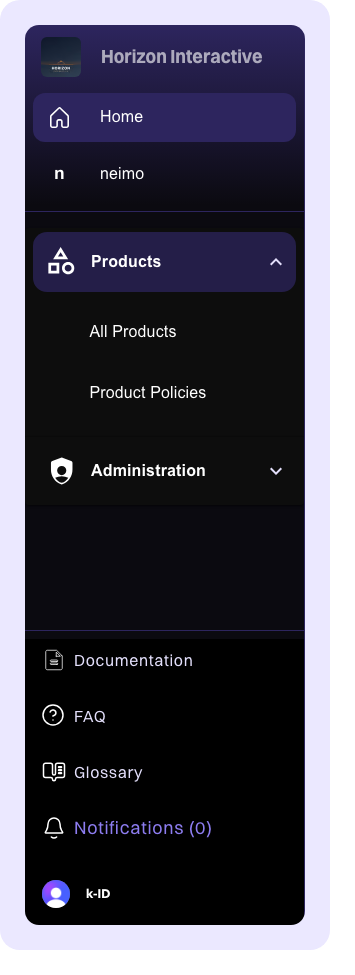
In the left sidebar, click Products to expand the products section, then click All Products.
-
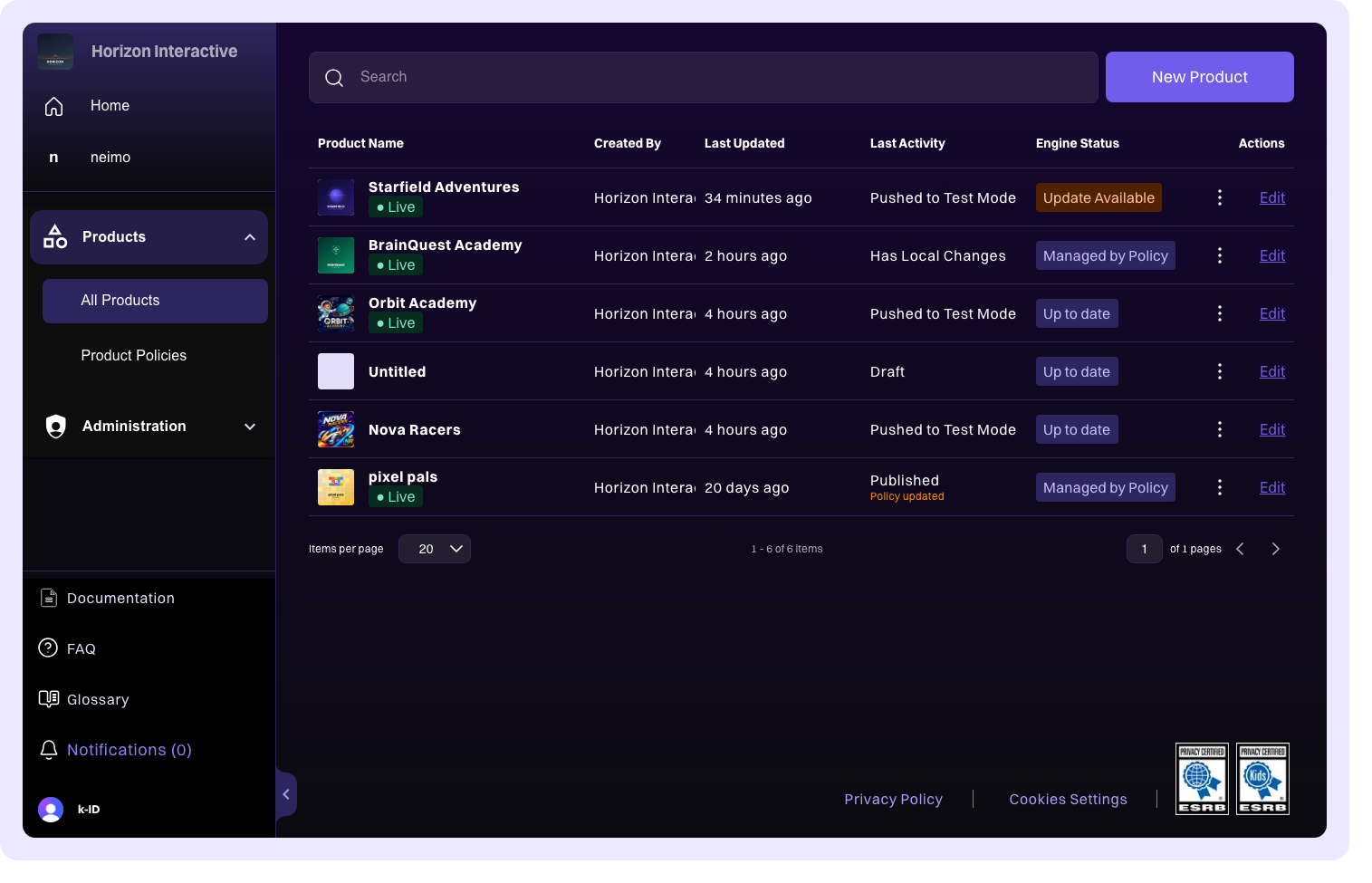
On the Products page, click the New Product button in the upper-right corner.
-
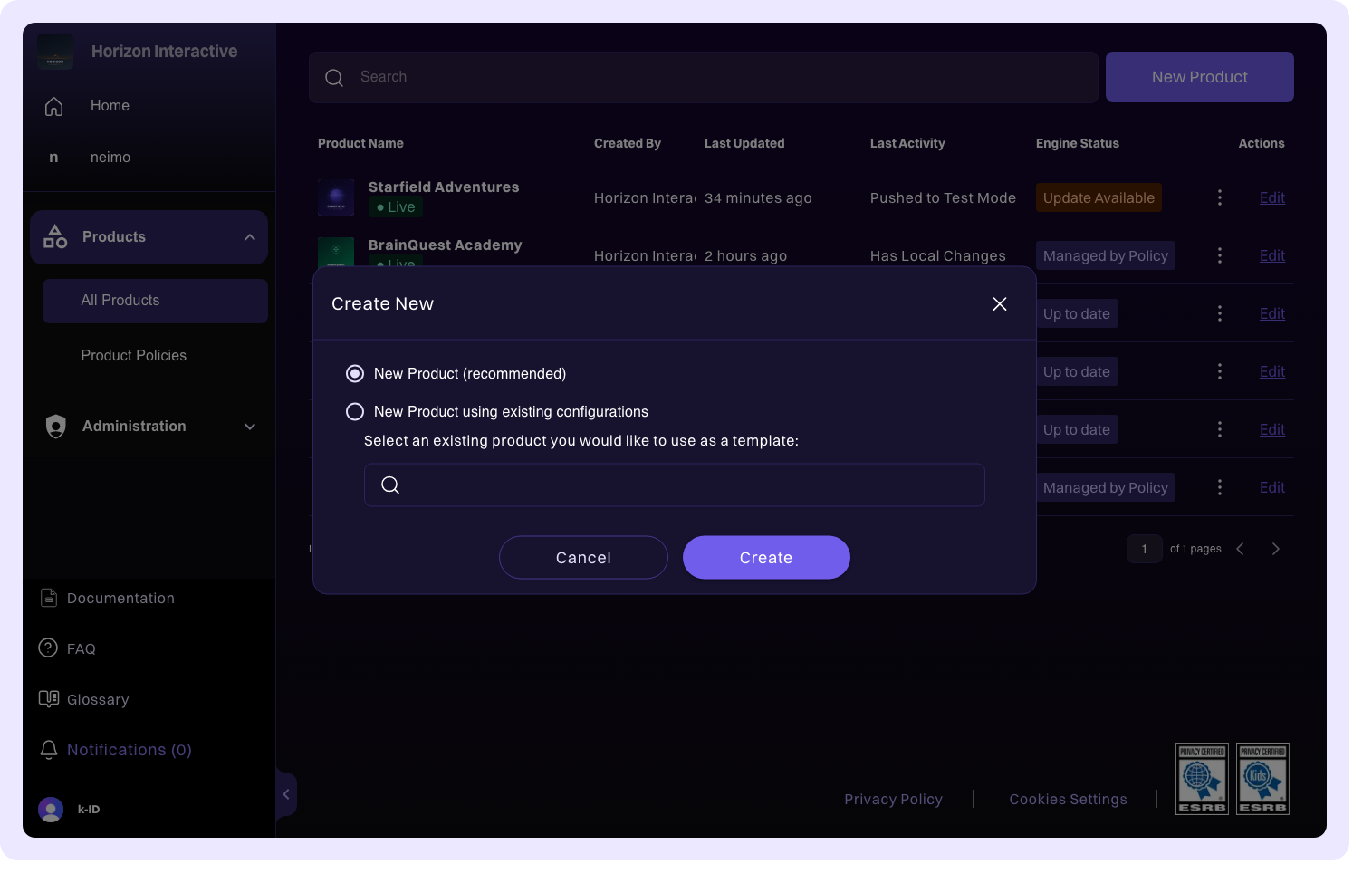
Enter a name for your product.
-
Click Create. Your new product is created in Draft state and you're taken to the product editor.
Cloning from an existing product
When creating a new product, you can start from a template by cloning the configuration of an existing product:
- In the new product dialog, select New Product with existing configurations.
- Search for and select the product you want to clone from.
- Click Create.
The new product is created with the name Copy - [original product name] and inherits all configuration settings from the source product. You can rename it and adjust any settings as needed.
This is particularly useful when you're setting up multiple products that share similar compliance requirements, for example, a franchise of games that all target the same age groups and jurisdictions.
Product states
Every product moves through a series of states as you configure, test, review, and publish it. Understanding these states helps you know where a product stands in the publishing workflow.
| State | Description |
|---|---|
| Draft | The initial state when a product is first created. It has never been published to production. |
| Has Local Changes | A previously published product that has configuration changes that haven't been pushed. These changes exist only in the editor and haven't been pushed to any environment. |
| Pushed to Test | Configuration changes have been pushed to the test environment. You can now test your integration against these settings before submitting for review. |
| In Review | The product has been submitted for k-ID review. The k-ID team evaluates your configuration for compliance completeness. |
| Approved | The review has been approved. The product is ready to be published to production. |
| Rejected | The review has been rejected. Feedback from the k-ID team is provided so you can address any issues and resubmit. |
| Published | The product configuration is live in the production environment and actively serving compliance rules. |
Product entitlements
Your organization's setup determines which features and configuration tabs are available for each product. There are two main entitlement types:
CDK (Compliance Development Kit)
The full compliance integration suite. CDK products have access to age gate, sessions, permissions, challenges, data notices, and the complete API configuration. This is the most comprehensive option for products that need end-to-end compliance management.
AgeKit+
Age verification and assurance features. AgeKit+ products can configure verification methods and age assurance flows without the full session and permission management that CDK provides.
The entitlement type assigned to your product determines which configuration tabs appear in the product editor. For example, the Notices and API Configuration tabs are only available for CDK products.