Product configuration: API configuration
The API Configuration section controls how the k-ID Compliance Engine behaves for your product. These settings determine age requirements, feature permissions, parental preferences, compliance strategy, and jurisdiction-specific rules. This section is available for products with CDK (Compliance Development Kit) access.
Product access
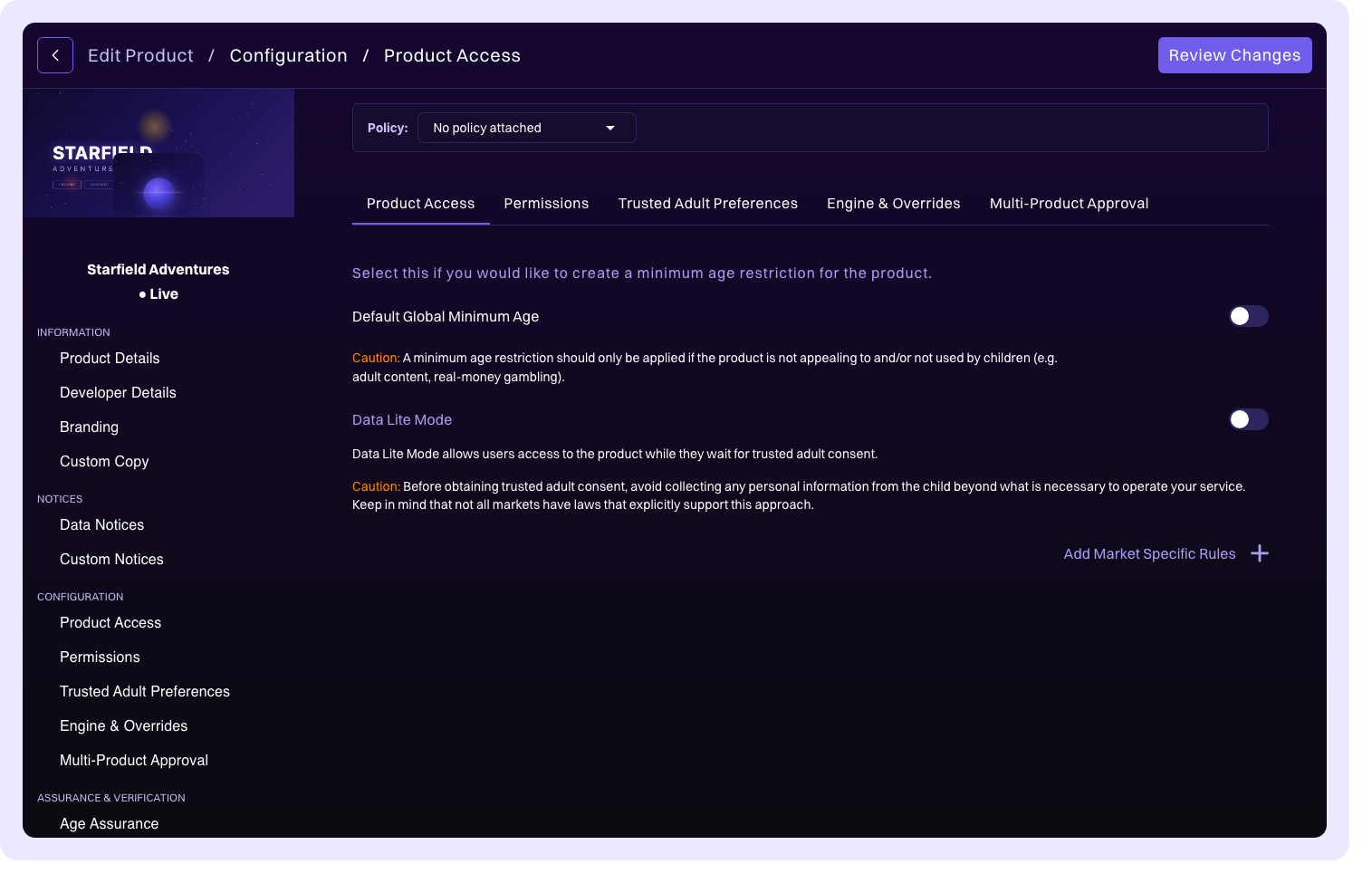
Configure who can access your product based on age and jurisdiction.
| Setting | Description |
|---|---|
| Default Global Minimum Age | Set a global minimum age that applies across all jurisdictions. You can base this on civil age, digital consent age, or a custom age value. |
| Data Lite Mode | When enabled, minimizes data collection during the age gate flow. See Data Lite Mode for details. |
Market-specific minimum age rules
Override the global minimum age for individual jurisdictions. Click Add Market Specific Rules to select a jurisdiction and set its minimum age requirement. This is useful when certain markets have stricter age requirements than your global default.
Product Policies
When a Product Policy is attached, the product access fields become read-only. The policy manages global minimums and market-specific rules.
Permissions
Permissions define what features in your product require consent from a parent or trusted adult. See Permissions for the concept explanation.
Standard permissions
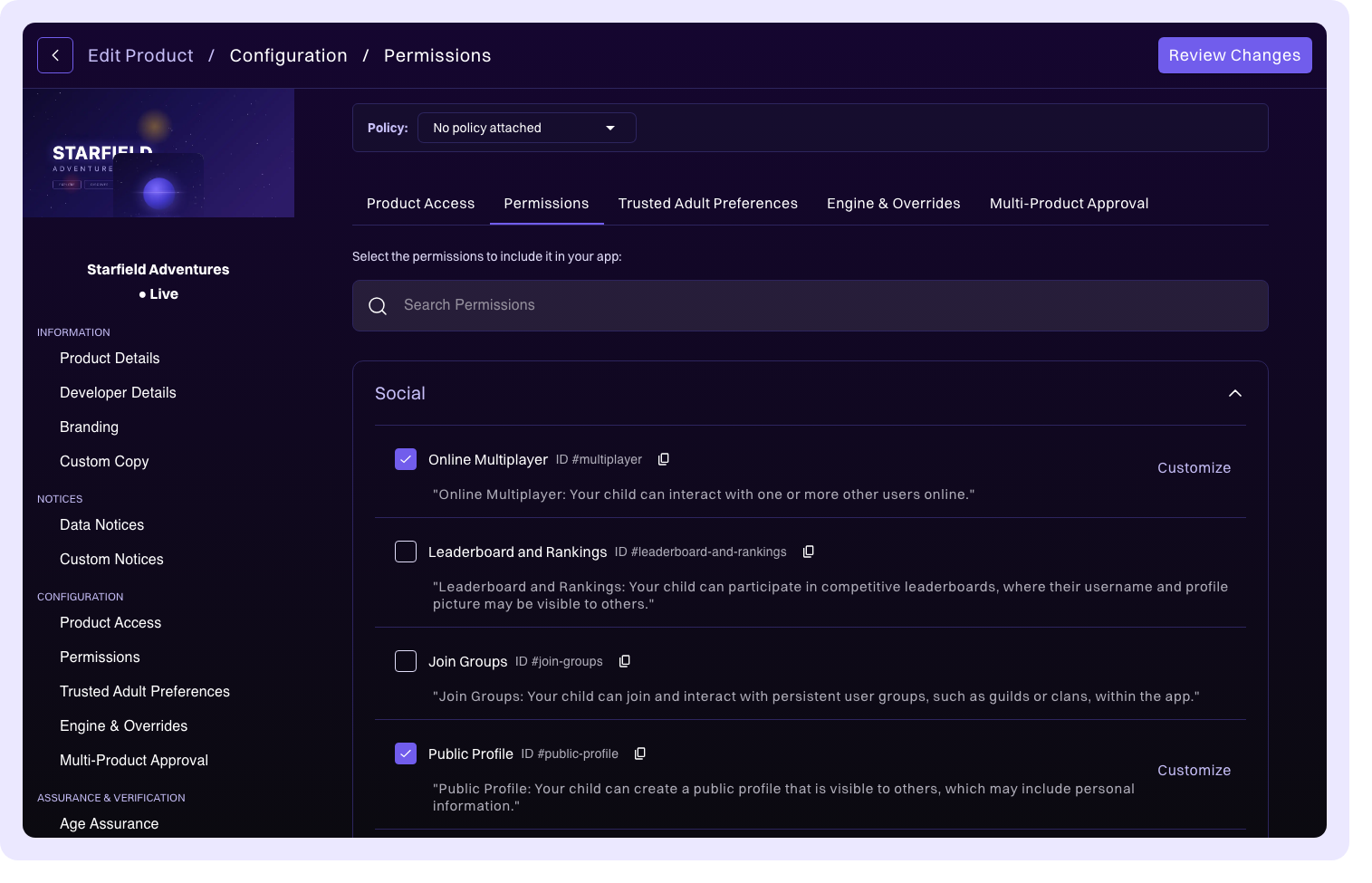
Enable predefined permission types from a list of common feature categories. Search or scroll through the available permissions and select the ones that apply.
Custom permissions
Create your own permission types when the standard list doesn't cover a specific feature in your product. Each custom permission includes:
| Field | Description |
|---|---|
| Essential Feature | Mark the permission as essential. Essential features can't be disabled by a parent or guardian. See Essential Features. |
| Language / Localization | Provide a title and description in multiple languages. The title is displayed to parents as the feature name, and the description explains what the feature does. |
Custom permissions also support age threshold configuration:
| Threshold | Behavior |
|---|---|
| Minimum Age | The feature is always off for users below this age. Neither the user nor their parent/guardian can enable it. |
| Threshold Age | The feature is off by default for users below this age and can only be enabled by a parent/guardian. Users at or older than this age can enable it themselves. Age verification might be required; see Age Assurance. |
| Default Off If Under Age | The feature is off by default for users below this age but can be toggled by the user themselves (unless they're below the Threshold Age). |
Product Policies
When a Product Policy is attached, permissions included in the policy are managed by the policy. You can still add additional standard permissions on top of the policy's baseline.
Parental preferences
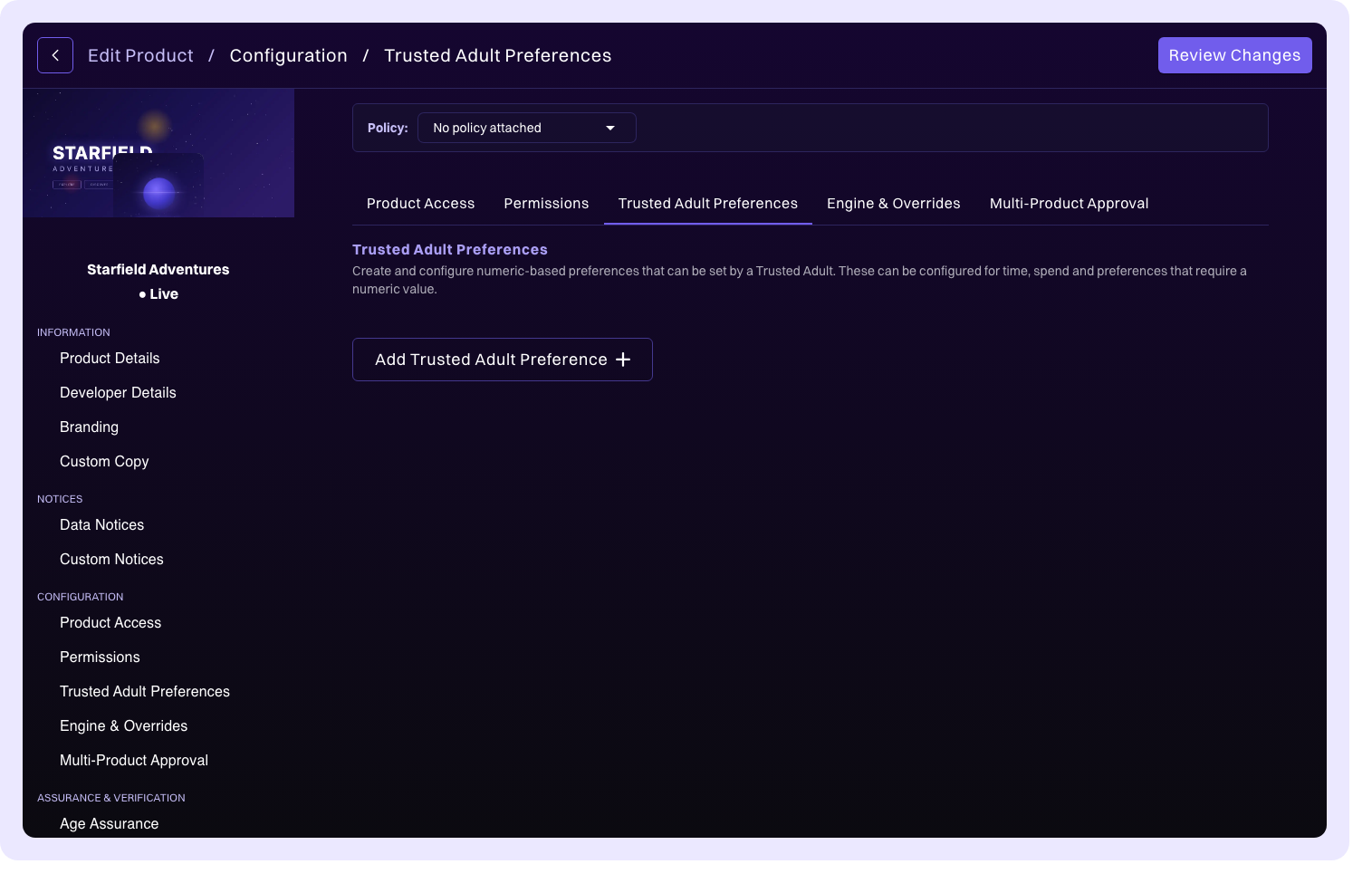
Parental preferences are questions presented to trusted adults and parents during the consent flow, allowing them to set boundaries for their child's experience. See Trusted Adult Preferences for the concept explanation.
Two types of preference questions are available:
Numerical preferences
A numeric value with a configurable minimum and maximum range. Use this for quantifiable limits.
Example: "How many hours per day can your child play?" with a range of 1–8 hours.
Selection preferences
Multiple choice options with configurable defaults. Use this for feature toggles or categorical choices.
Example: "Which communication features should be enabled?" with options such as voice chat, text chat, and friend requests.
Engine and overrides
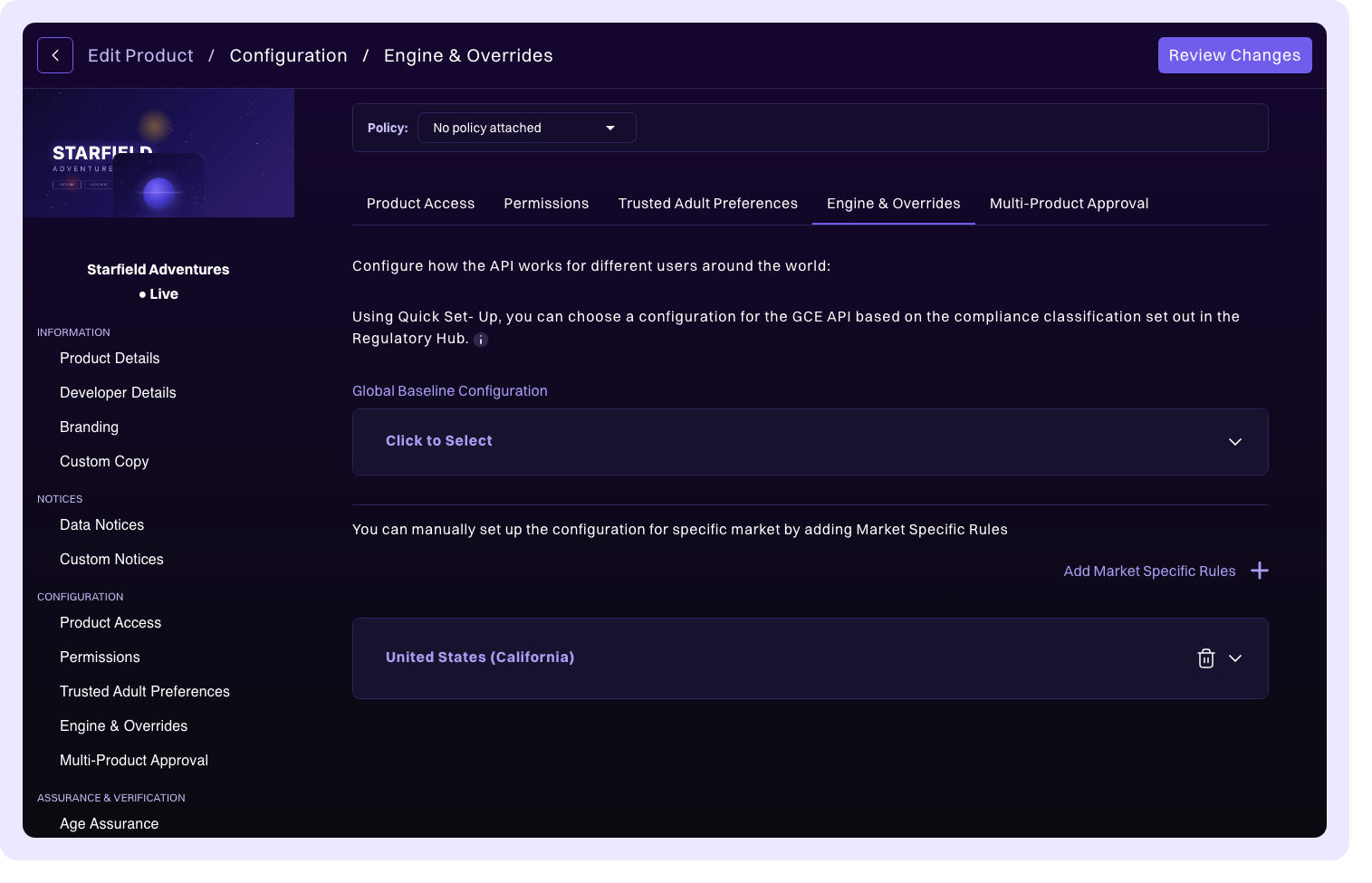
Configure the compliance strategy that determines how the k-ID Global Compliance Engine applies rules to your product. See Jurisdictions for background on how jurisdiction-specific compliance works.
Compliance strategy
Choose how compliance rules are applied across jurisdictions:
| Strategy | Behavior |
|---|---|
| Global Compliance | Apply the same set of rules everywhere, regardless of the user's jurisdiction. |
| Use Conservative Age Globally | Apply the most restrictive age requirement found across all jurisdictions to every user. This is the safest option when you want uniform, maximum-protection compliance. |
| Country-Specific Compliance | Configure rules on a per-jurisdiction basis. This gives you the most granular control over how your product behaves in different markets. |
Global overrides
Set baseline compliance configuration that applies across all jurisdictions as a starting point. These overrides provide a floor for compliance behavior that jurisdiction-specific overrides can then build upon or tighten.
Jurisdiction-specific overrides
Override the global or baseline settings for individual jurisdictions with market-specific rules. This allows you to fine-tune compliance behavior for markets that have unique regulatory requirements.
Product Policies
When a Product Policy is attached, the engine and override fields become read-only. The policy manages compliance strategy and jurisdiction rules.
Multi-product approval
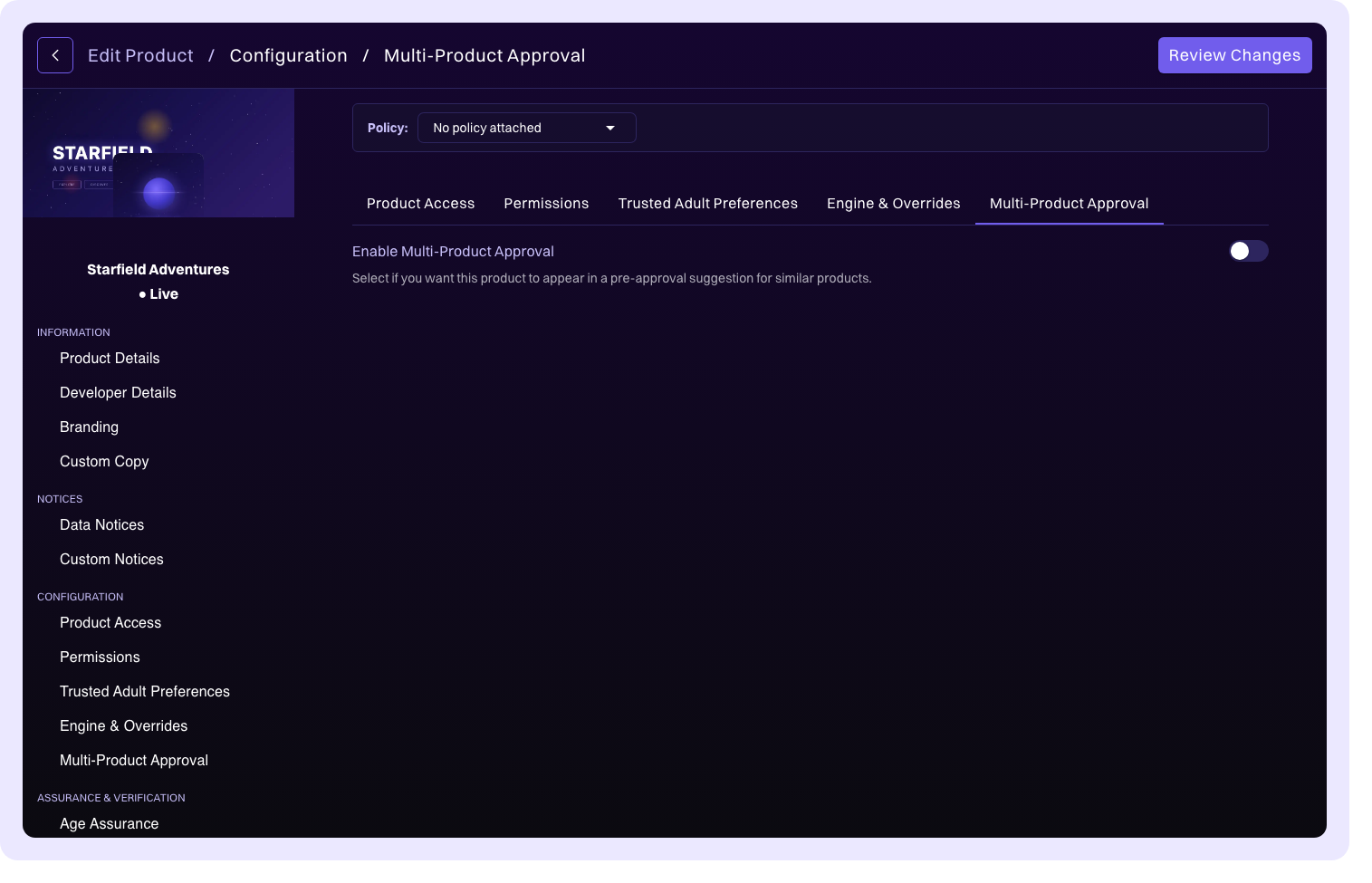
Link related products that share the same user session, so parents can approve access to multiple products in a single consent flow. See Multi-Product Approval for the concept explanation.
When multi-product approval is enabled, you can configure:
- Essential products: products the user must approve access to. These are presented as required during the consent flow.
- Optional products: additional products the user can opt in to. These are presented as optional choices during consent.
The configuration also shows which other products in your organization have marked this product as essential, giving you visibility into cross-product dependencies.
Product Policies
When a Product Policy is attached, multi-product approval settings become read-only.