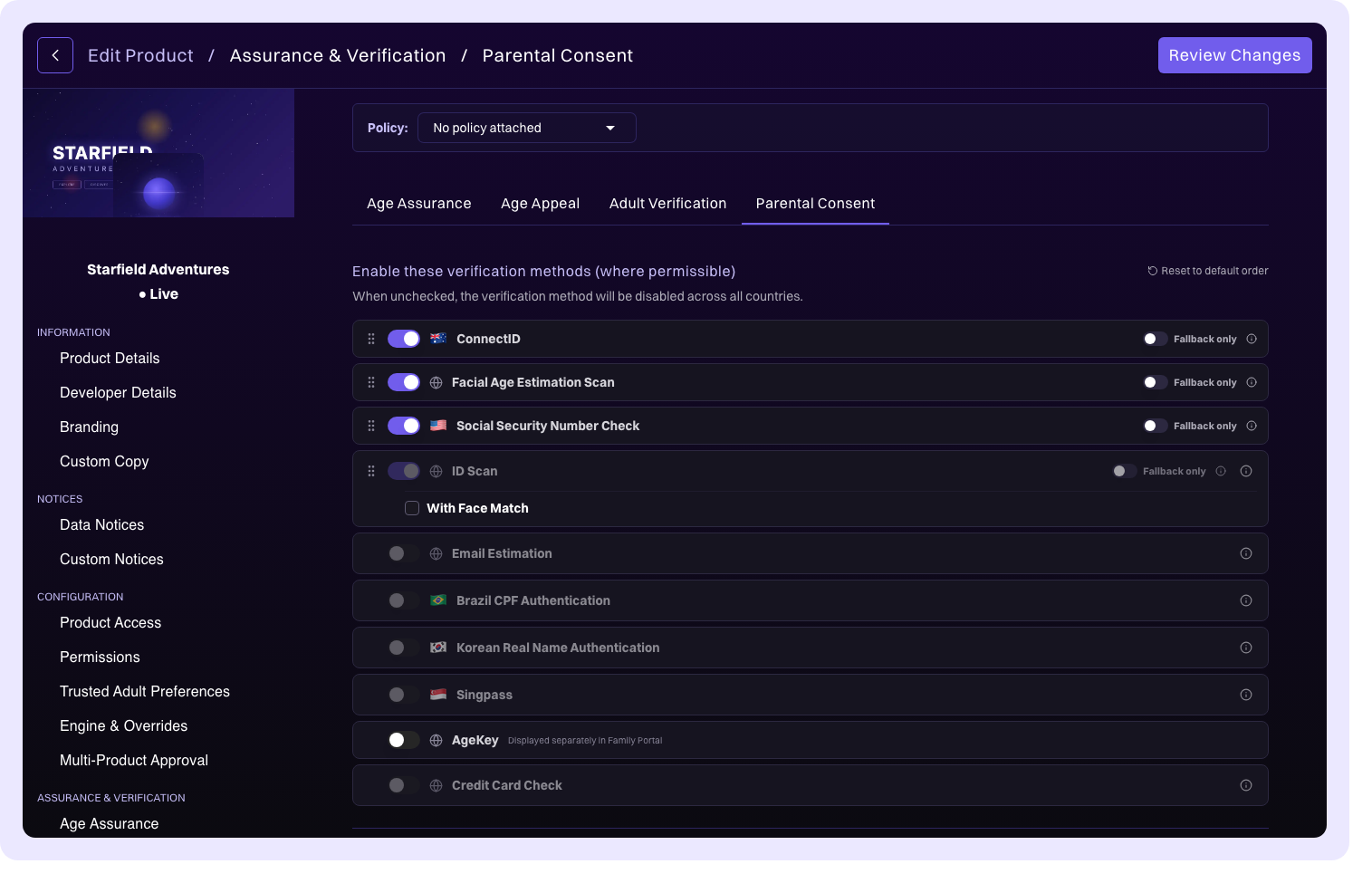
Product configuration: Verification
The Verification section controls how age verification and assurance is handled for your product. Different verification flows serve different purposes, and you can configure which verification methods are available and in what order they're presented. The available configuration depends on your organization's entitlements (CDK or AgeKit+).
How verification configuration works
k-ID supports multiple verification flows, each serving a different compliance scenario. Within each flow, you configure a list of verification methods that determine how users prove their age.
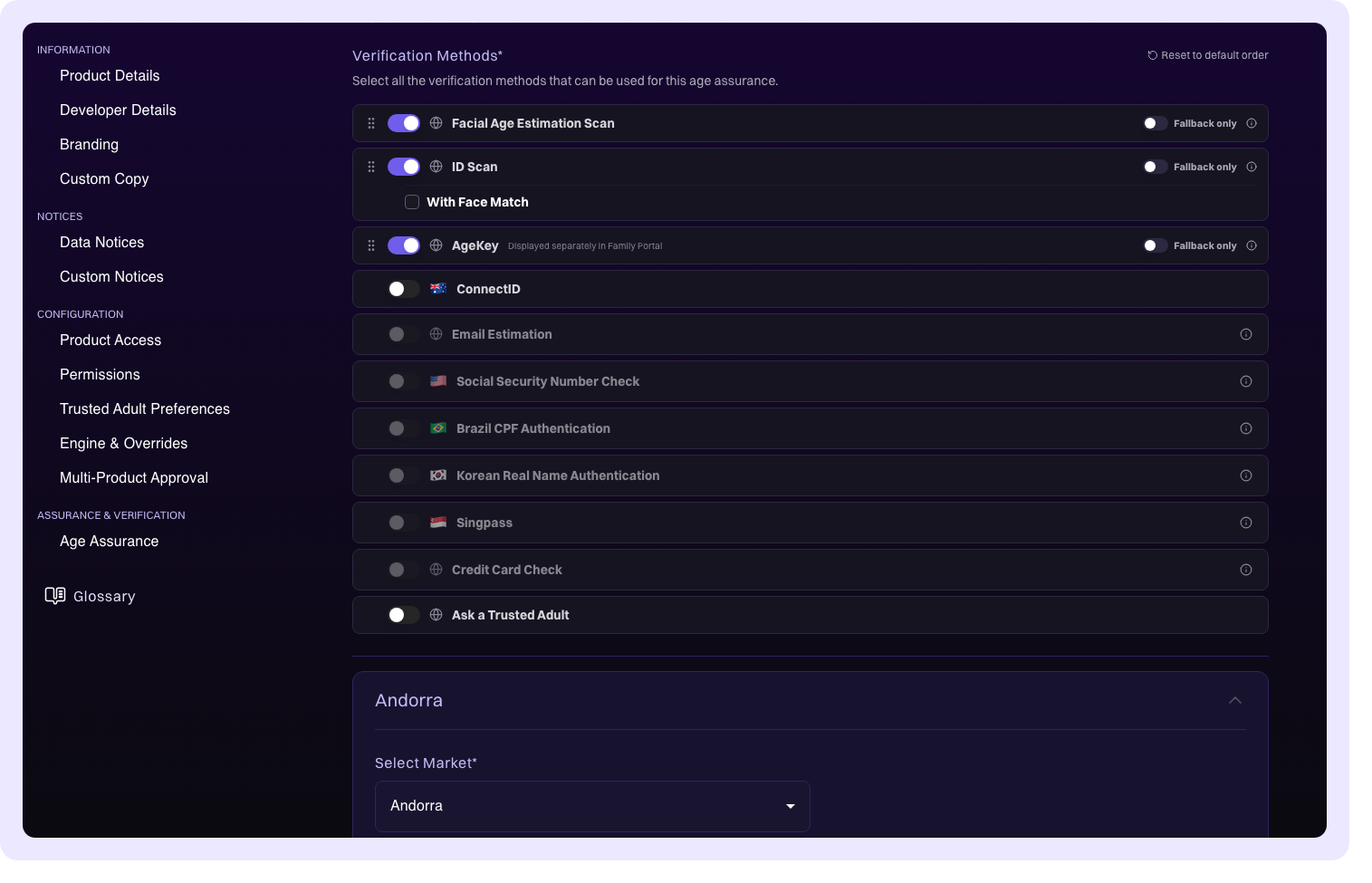
Each method can be set to one of three states:
| State | Behavior |
|---|---|
| Enabled | Offered to users as a verification option |
| Disabled | Not offered to users |
| Fallback Only | Used only when primary methods fail or are unavailable |
Method ordering determines which methods are offered first. The priority order is:
- Market-specific overrides (highest priority)
- Global product-level configuration
- k-ID defaults (lowest priority)
Use the drag handles to reorder methods within each level. The order you set determines the presentation order users see when multiple methods are available.
For deeper background on verification concepts, see Verification Methods and Age Assurance.
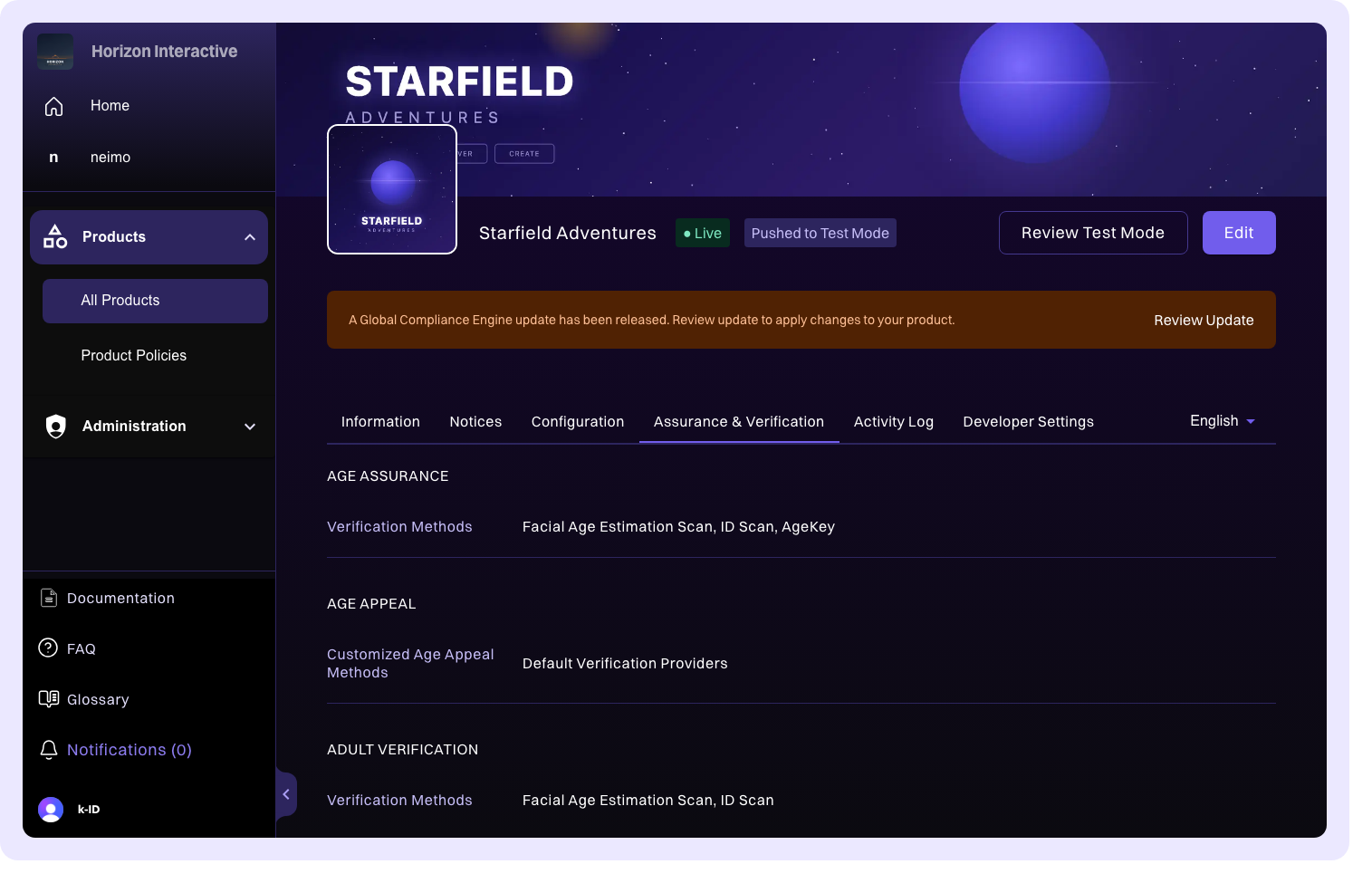
Market-specific overrides
Each verification flow supports market-specific overrides that let you customize verification methods for individual jurisdictions. This is useful when regulatory requirements differ across markets, for example requiring ID scanning in one country but allowing facial age estimation in another.
To add a market-specific override:
- Open the verification flow you want to customize (Age Assurance, Age Appeal, Trusted Adult, or Parental Consent)
- Click Add Market Specific Rules at the bottom of the flow configuration
- Select a market from the jurisdiction dropdown
- Configure the verification methods for that market using the same enable/disable/fallback-only controls and drag-to-reorder interface
Market-specific overrides take priority over the global configuration for that flow. Users in the selected jurisdiction see the override configuration instead of the global defaults. You can add overrides for as many markets as needed, and each override is displayed as a collapsible accordion that can be expanded to edit or deleted when no longer needed.
Age assurance
Info
Age assurance configuration requires an AgeKit+ or CDK entitlement.
The age assurance flow verifies a user's age with high confidence. This is the primary verification flow used when your product needs to confirm that a user meets an age threshold (for example, verifying that a user is 18 or older to access age-restricted content).
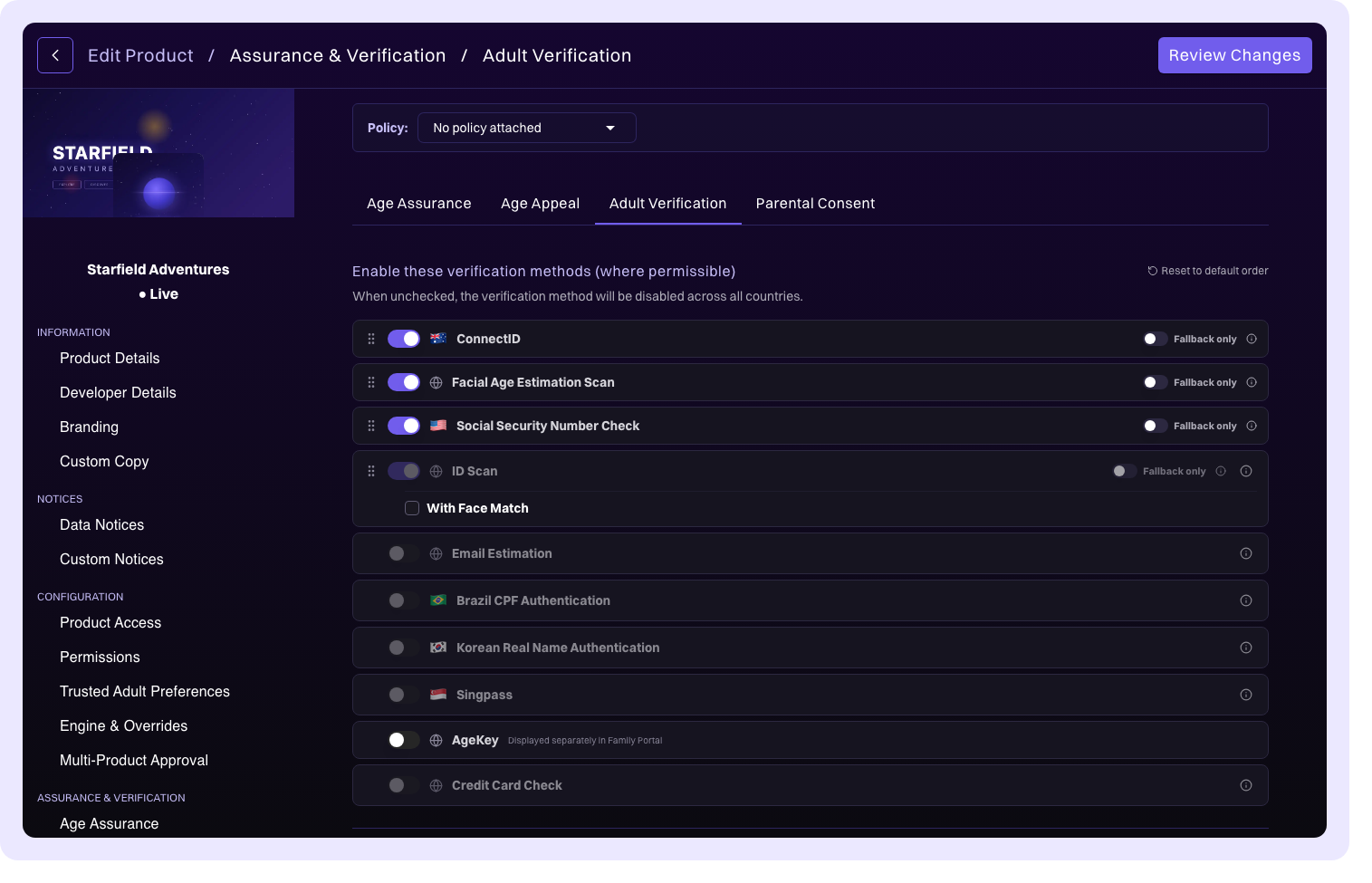
Available methods include facial age estimation, ID scanning, AgeKey, ConnectID, and others depending on your organization's configuration. For each method, choose whether it's Enabled, Disabled, or Fallback Only, and drag to reorder methods to set presentation priority.
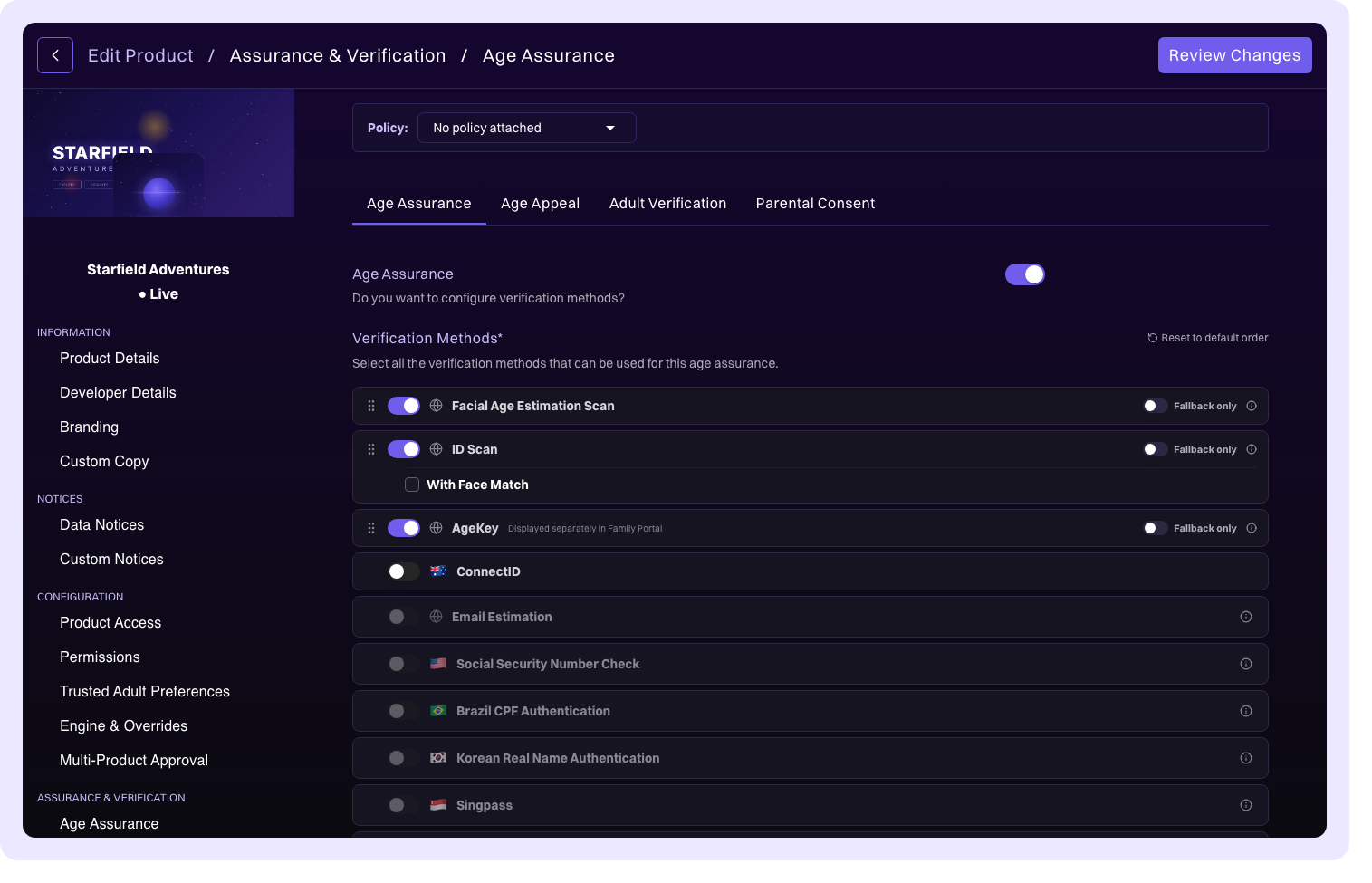
GCE-driven age assurance
When enabled, the Global Compliance Engine automatically determines which verification methods are required based on the user's jurisdiction and applicable regulations. Rather than relying solely on your manual configuration, the engine evaluates regulatory requirements in real time and adjusts the available methods accordingly.
This is recommended for products operating across multiple jurisdictions where verification requirements vary by region.
Note
When a Product Policy is attached to your product, age assurance settings become read-only. To change them, update the policy or detach it from the product.
Age appeal
Info
Age appeal configuration requires an AgeKit+ or CDK entitlement.
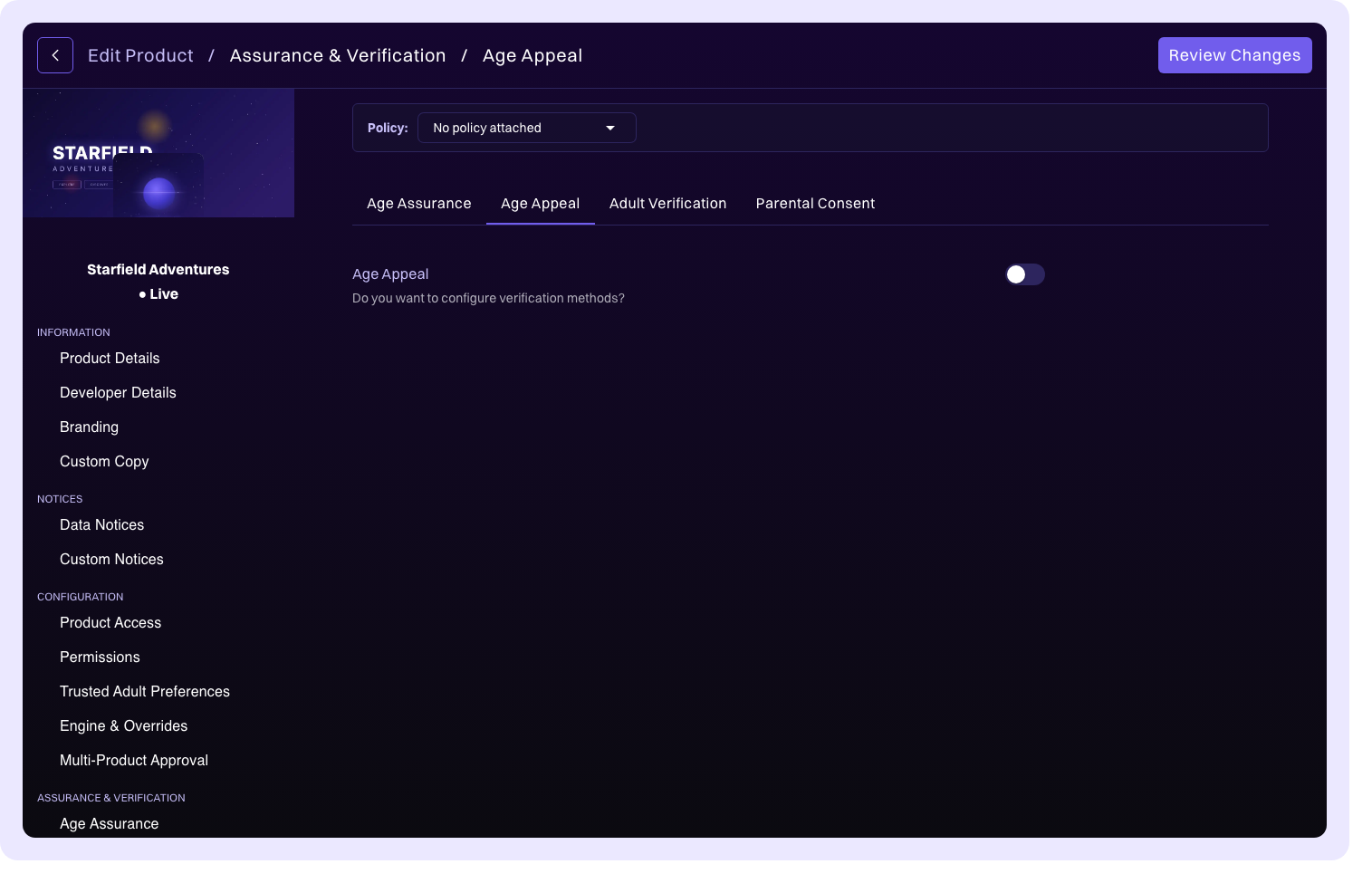
Users who believe their age was incorrectly assessed can appeal the determination. The age appeal flow lets you configure which verification methods are available when a user challenges their initial age result.
Configure the available methods by using the same enable/disable/fallback-only controls and drag-to-reorder interface as age assurance. You might want to offer different methods for appeals, for example, allowing ID document scanning as a fallback for users whose facial age estimation produced an inaccurate result.
Trusted adult
Info
Trusted adult verification requires an AgeKit+ or CDK entitlement.
When a parent or guardian needs to verify their identity as a trusted adult (for example, to grant parental consent or manage a child's permissions), the trusted adult flow determines which verification methods are available.
Configure the available methods and their ordering by using the same controls as other flows. The methods you enable here apply specifically to the adult verification step, not to the child's age determination.
Parental consent
Info
Parental consent verification requires a CDK entitlement.
When parental consent is required for a minor, the parent must verify their identity before consent can be granted. The parental consent flow lets you configure which verification methods parents can use during this process.
This flow uses the same configuration pattern as other verification flows. Enable, disable, or set methods to fallback only, and drag to reorder. The methods available here are specifically for the parent's identity verification as part of the consent workflow.